




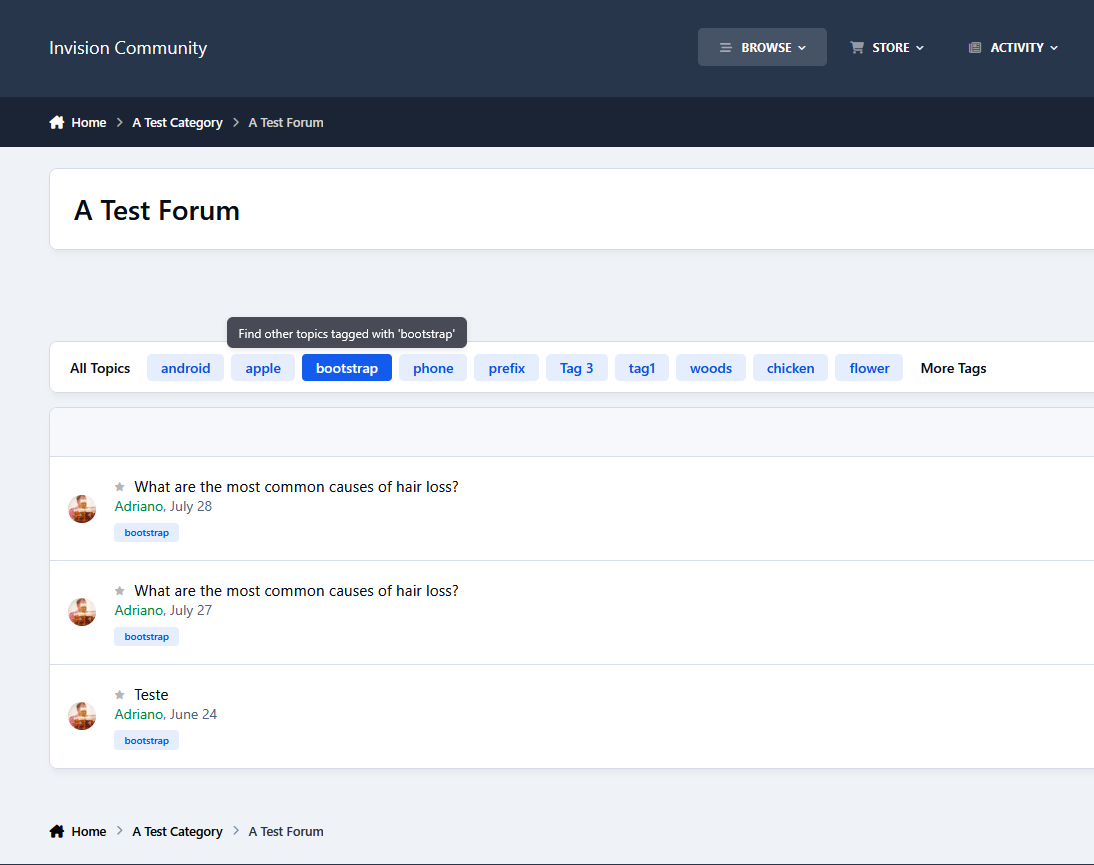
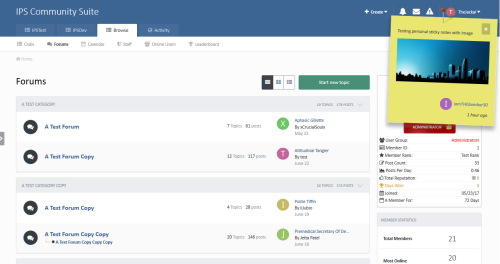
Tags Filter in Forum View adds a tag filtering system directly above the topic list, allowing members to find discussions about specific subjects without browsing through multiple pages. Members can click any displayed tag to filter topics instantly via AJAX, without reloading the page. A subtle animated progress bar indicates when the list is being updated. Clicking All Topics restores the complete topic list.
Features
AJAX filtering — Filter topics without reloading the page, with an animated loading indicator.
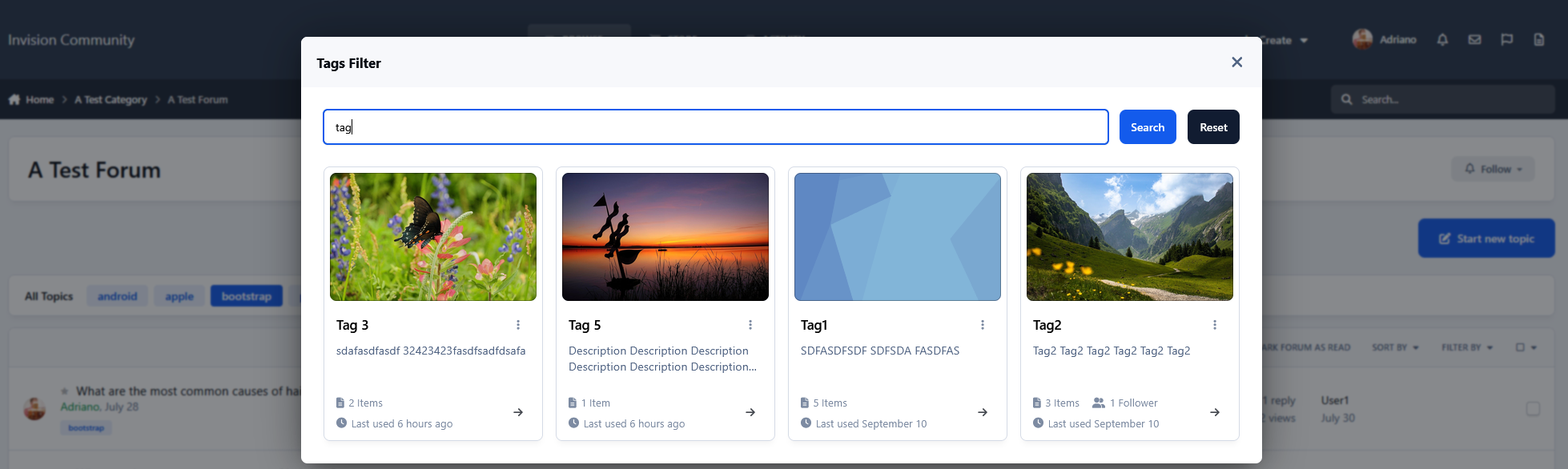
More Tags popup — Browse additional tags with a search field and native IPS pagination.
Detailed tag cards — View tag covers, descriptions, content counts, followers, and last-used information when available.
Tag actions — Visit a tag's dedicated page or find related content through the native IPS search.
Forum-specific tags — Displays only tags used in the current forum.
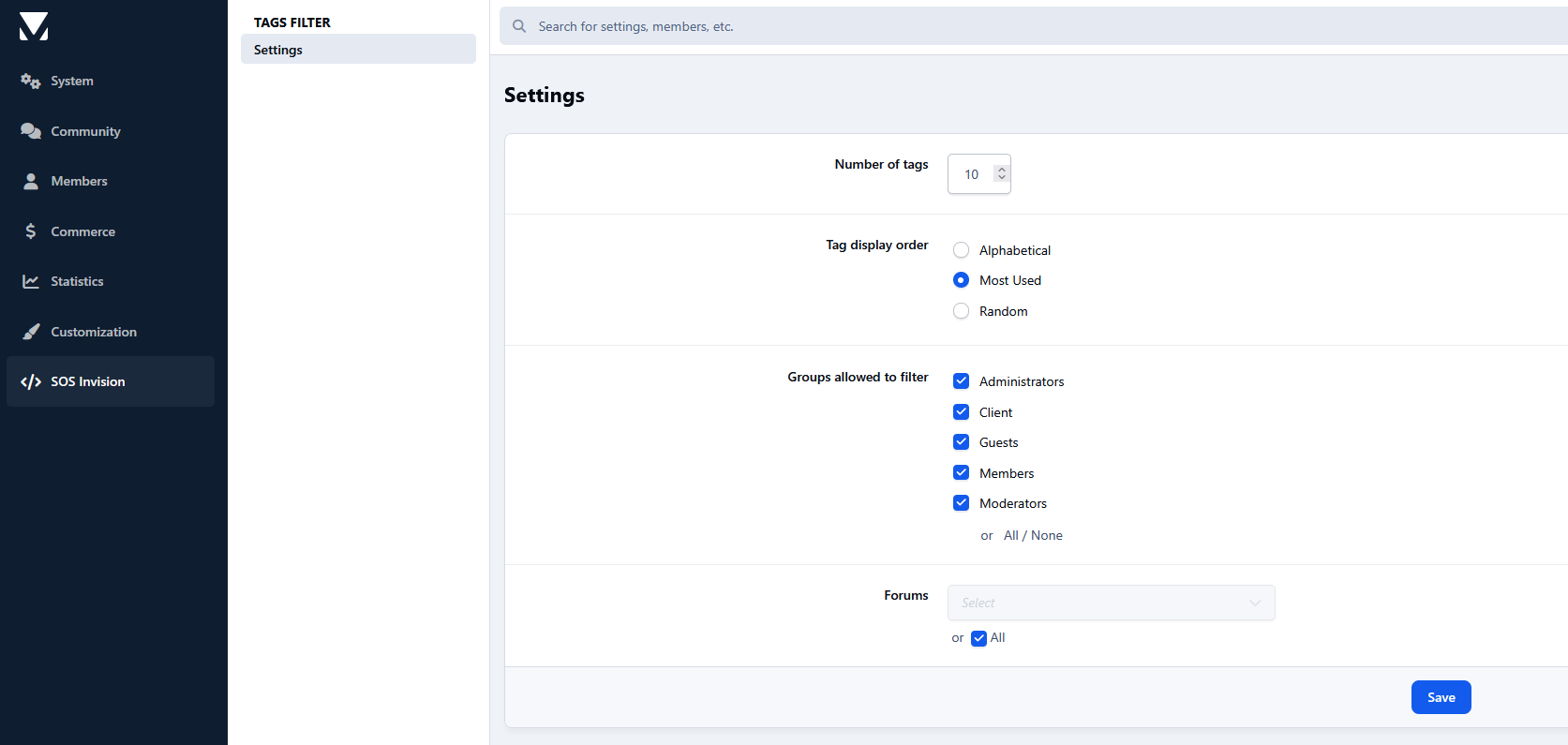
AdminCP Settings
Forums — Select which forums display the filter.
Member Groups — Choose which groups can access it.
Number of Tags — Set how many tags appear above the topic list.
Tag Display Order — Choose Most Used, Alphabetical, or Random.
Performance
The application maintains a separate tag list for each forum within a shared cache, automatically refreshed every hour by a scheduled task. If the cache is cleared, the necessary data is rebuilt automatically when a forum is accessed.
The More Tags popup loads its results on demand, keeping the regular forum view lightweight even on communities with large numbers of tags.
Compatible with Invision Community 5.0 and 5.1.





You may only provide a review once you have downloaded the file.
There are no reviews to display.