Jump to content
View in the app

A better way to browse. Learn more.

SOS Invision

A full-screen app on your home screen with push notifications, badges and more.

To install this app on iOS and iPadOS
  1. Tap the Share icon in Safari
  2. Scroll the menu and tap Add to Home Screen.
  3. Tap Add in the top-right corner.
To install this app on Android
  1. Tap the 3-dot menu (⋮) in the top-right corner of the browser.
  2. Tap Add to Home screen or Install app.
  3. Confirm by tapping Install.

Alert to Multiple Members 1.0.0

$18 · Renewal Term: $10/year

(1 review)

5 Screenshots

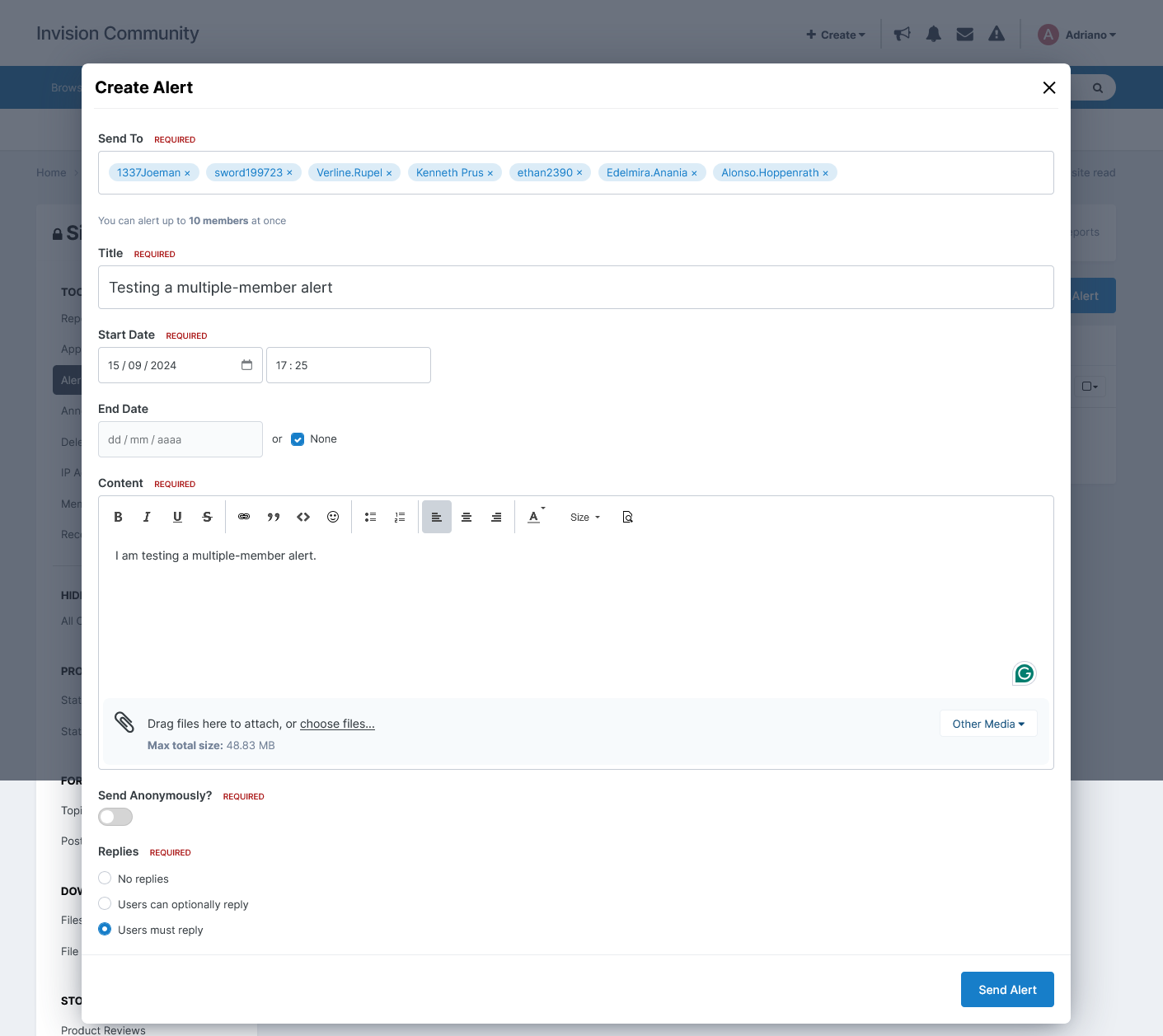
This application enables moderators (with alert permission) to send alerts to multiple members. By default, alerts can be sent to an individual member or an entire group.

Setting:

  • Number of members to send the alert

User Feedback

You may only provide a review once you have downloaded the file.

Nelson Advanced Member

Nelson

   1 of 1 member found this review helpful 1 / 1 member

This is super useful, adding an icon to the user nav which is also present on the mobile menu.

Streamline your moderation team's workload! As you have to go in ModCP, then alerts but if you wanted to send a message to two members, hold on you can't. You would have to repeat it!! Copy and paste, going through all the settings again.

If you want to notify one person or a group of members, the existing way is fine, but this application adds a more practical approach to the sending of alerts.

The ACP setting will limit the amount you send them to is a nice touch too.

Other files from Adriano

Important Information

By using this site, you agree to our Terms of Use and Privacy Policy.

Configure browser push notifications

Chrome (Android)
  1. Tap the lock icon next to the address bar.
  2. Tap Permissions → Notifications.
  3. Adjust your preference.
Chrome (Desktop)
  1. Click the padlock icon in the address bar.
  2. Select Site settings.
  3. Find Notifications and adjust your preference.