Free Applications
23 files
-
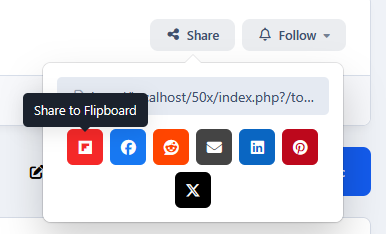
This application will allow you to share content (items, comments, and reviews) on Flipboard.
- Free
- 1 Downloads
Adriano -
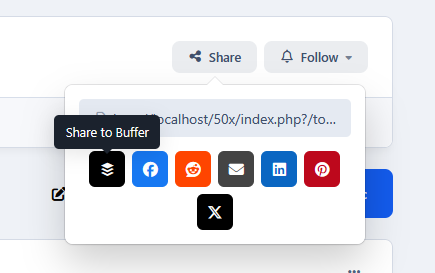
Buffer: schedule your content to the most popular platforms, including Facebook, Instagram, TikTok, LinkedIn, Threads, Bluesky, YouTube Shorts, Pinterest, Google Business, Mastodon, and X.
- Free
- 1 Downloads
Adriano -
Pocket is Saying Goodbye: What You Need to Know
Pocket will no longer be available after July 8, 2025.
https://support.mozilla.org/en-US/kb/future-of-pocket
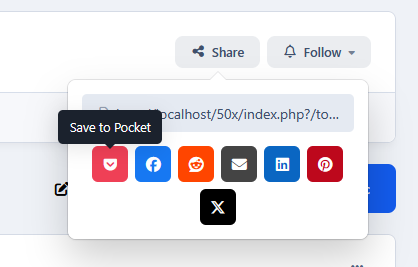
This application will integrate Pocket into your community, allowing you to maintain an online bookmark of your items. Previously known as Read It Later, it is a social bookmarking service for storing, sharing, and discovering web bookmarks.
- Free
- 1 Downloads
Adriano -
This application will force members to confirm their email address by setting them as a validating member to change their email. This is not an automated process for bounced emails. Links will be added in:
Profile Profile card (when you hover a member link) Admin CP profile to set the member as validating Only ADMINs with no restriction to edit members on ACP will be able to use the resource in front end.
- Free
- 26 Downloads
Adriano -
This application will allow users to redeem keys for purchases made on the IPS Marketplace.
Requirement:
Downloads app (with your files)
Commerce app
Usage:
Go to Admin CP -> Community -> IPS Marketplace Keys -> Keys and click on Import Keys from CSV button.
Select a Download file in the File field.
Upload the CSV provided by IPS for that Downloads file in the CSV File field.
Repeat the steps above for every file you have on IPS Marketplace.
You can also manually add a key to Admin CP -> Community -> IPS Marketplace Keys -> Keys.
Note:
This is a developer tool and should be used only by IPS Contributors.
- Free
- 18 Downloads
Adriano -
- Free
- 23 Downloads
Adriano -
This application will add a carousel at the bottom of the file view page to display other files from the file submitter.
Settings:
Number of files to display
Display order: start date or random files
Show block to (groups)
Requirement:
Downloads app
- Free
- 13 Downloads
Adriano -
This application will add the following links in the navigation and mobile bars:
Mark all content as read (desktop and mobile)
Page Editor (desktop only)
This link will appear only to moderators with permission to manage the sidebar
- Free
- 17 Downloads
Adriano -
This application will help you not to talk alone by adding a notice and hiding the editor when no other users are active in the conversation.
Setting:
Groups that won’t be able to reply
- Free
- 19 Downloads
Adriano -
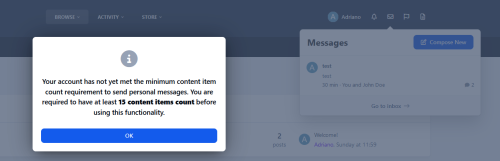
This application will set a number of content items that users must have to start a private message. However, users will still be able to reply to existing or new private messages.
Settings:
Display the number of items required on the error message
Number of content items required
Apply restrictions to (choose groups)
- Free
- 28 Downloads
Adriano -
This tiny application will focus on the TOPIC TITLE field when you try to start a new topic.
- Free
- 17 Downloads
Adriano -
This application will give faster access to all files purchased by a specific member, by visiting their profile. The profile tab will appear only to administrators.
Currently, you can only get this list if you access their ACP profile -> Customer's tab.
- Free
- 20 Downloads
Adriano -
This application will display language flags or a dropdown menu at the top of the board, allowing users to switch between languages more quickly and easily.
Setting:
Display: Country flags Languages Dropdown- Free
- 19 Downloads
Adriano -
Will add a filter in the forum view to display topics with future publish dates.
- Free
- 8 Downloads
Adriano -
This application will show. to the file submitter. the default IPS 4.3 message when their file isn't available to be purchased. Currently, it shows to everyone, except the file submitter.
- Free
- 3 Downloads
Adriano -
This application will help you speed up the task of adding moderators to IPS4 by duplicating permissions quickly and easily.
- Free
- 9 Downloads
Adriano -
This application will allow you to add new Admin CP Quick Links menu entries.
- Free
- 6 Downloads
Adriano -
This resource will connect the Spotify account to the IPS4 account. It will allow you to Sign up and Sign in using the Spotify account, as well as to synchronize the user name and/or profile photo.
You are required to register your application on https://developer.spotify.com/dashboard/login to obtain:
Client ID Client Secret You also need to inform your board URL and the Redirect URI.
- Free
- 10 Downloads
Adriano -
This application will add the following to the post bit:
Link to send a private message to the post author Link to ignore the post author Link to search content from the post author Link to flag/Unflag the post author as a spammer Link to add a warning to the post author Link to send an alert to the post author All links will appear if only the logged-in user has permission to view/use them.
Settings:
Display the IGNORE link Display Alert link- Free
- 26 Downloads
Adriano -
This application will enable 4 features that appear disabled when a new user creates an account:
Recent Profile Visitors block Pop-up when the user receives a new message View signatures? Automatically follow content/comments- Free
- 36 Downloads
Adriano -
- Free
- 33 Downloads
Adriano -
Shows which members have won the most reputation or likes over the last few days.
Block settings:
Number of leaders to show
The block will appear if:
Reputation is enabled
Leaderboard is enabled
The member who's browsing has permission in the leaderboard module
- Free
- 18 Downloads
Adriano -
This application will automatically make the member who joins the club follow the club and its features. The following will be removed when the member leaves the club.
- Free
- 22 Downloads
Adriano