


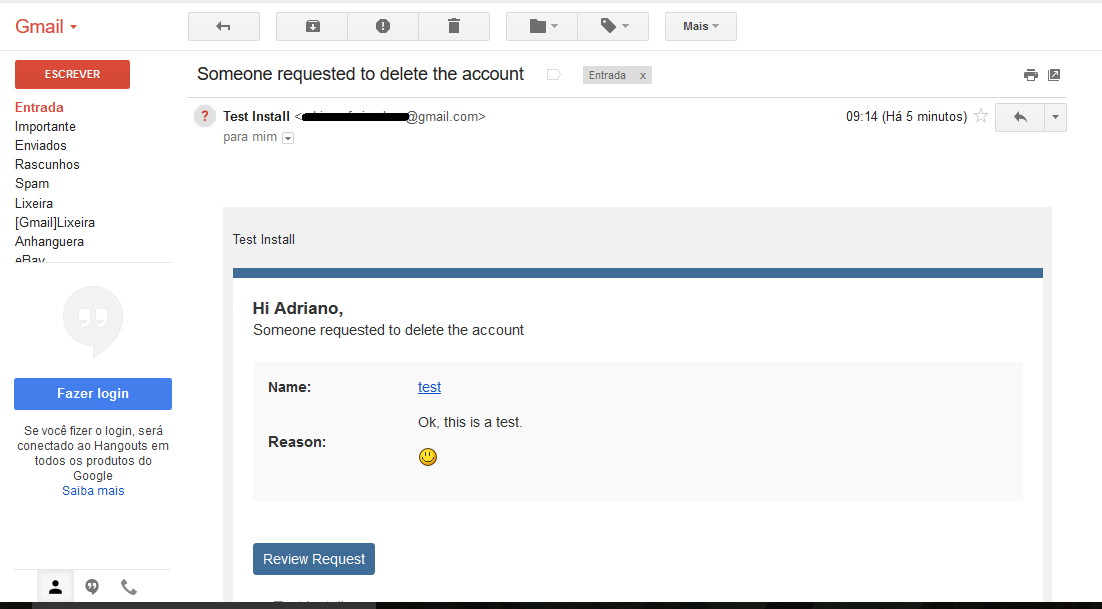


This application will allow users from specific user groups to request to delete their account. All requests will be reviewed by Staff (admins), directly on ModeratorCP -> Delete Account Requests, to approve or deny the request. The whole user content (topics, posts, attachments, polls, etc.) will be preserved; only the account will be deleted.
Features:
- Admins can choose which user groups can request delete account and how many posts a user must have to do it
- Users can request to delete their accouts directly on Account Settings
- The Staff will review each request to approve it or deny it on ModeratorCP -> Delete Account Requests
- A Notification will be sent to Staff when there's a new deletion request
- Each action of Staff (approve or deny a request) is logged on Moderator Logs
What's New in Version 2.5.7
See changelogReleased
- Fix: https://www.sosinvision.com.br/index.php?/forums/topic/1063-delete-my-account/&do=findComment&comment=15253
- New: Adds the Update Check URL to let you know when a new version is available.




You may only provide a review once you have downloaded the file.
There are no reviews to display.