Jump to content
View in the app

A better way to browse. Learn more.

SOS Invision

A full-screen app on your home screen with push notifications, badges and more.

To install this app on iOS and iPadOS
  1. Tap the Share icon in Safari
  2. Scroll the menu and tap Add to Home Screen.
  3. Tap Add in the top-right corner.
To install this app on Android
  1. Tap the 3-dot menu (⋮) in the top-right corner of the browser.
  2. Tap Add to Home screen or Install app.
  3. Confirm by tapping Install.

Music 2.0.6

$40 · Renewal Term: $20/12 months

(1 review)

13 Screenshots

This resource uses the Spotify API to grab data from artists for your site.

IMPORTANT NOTICE: Please do not purchase this application if you do not agree with the terms. All sales are final and non-refundable.

  • Spotify does not provide artist biographies, monthly listeners, photos, and playlists in their api endpoints anymore.

    • You will have to get the biography elsewhere (Google, Wikipedia, official site, etc.) and paste it into the editor.

  • Photos and playlists are manually added now.

All you have to do is type a word from the artist's name, and then a list of matches will appear. From now on, with just a click, you will have to submit the form:

  • Name

  • Main Photo

  • Global Chart Position

  • Followers

  • Popularity

  • Genres

  • Spotify link

  • Social Media links (X, Facebook, and Instagram) if available

Tabs:

You will also have tabs to display:

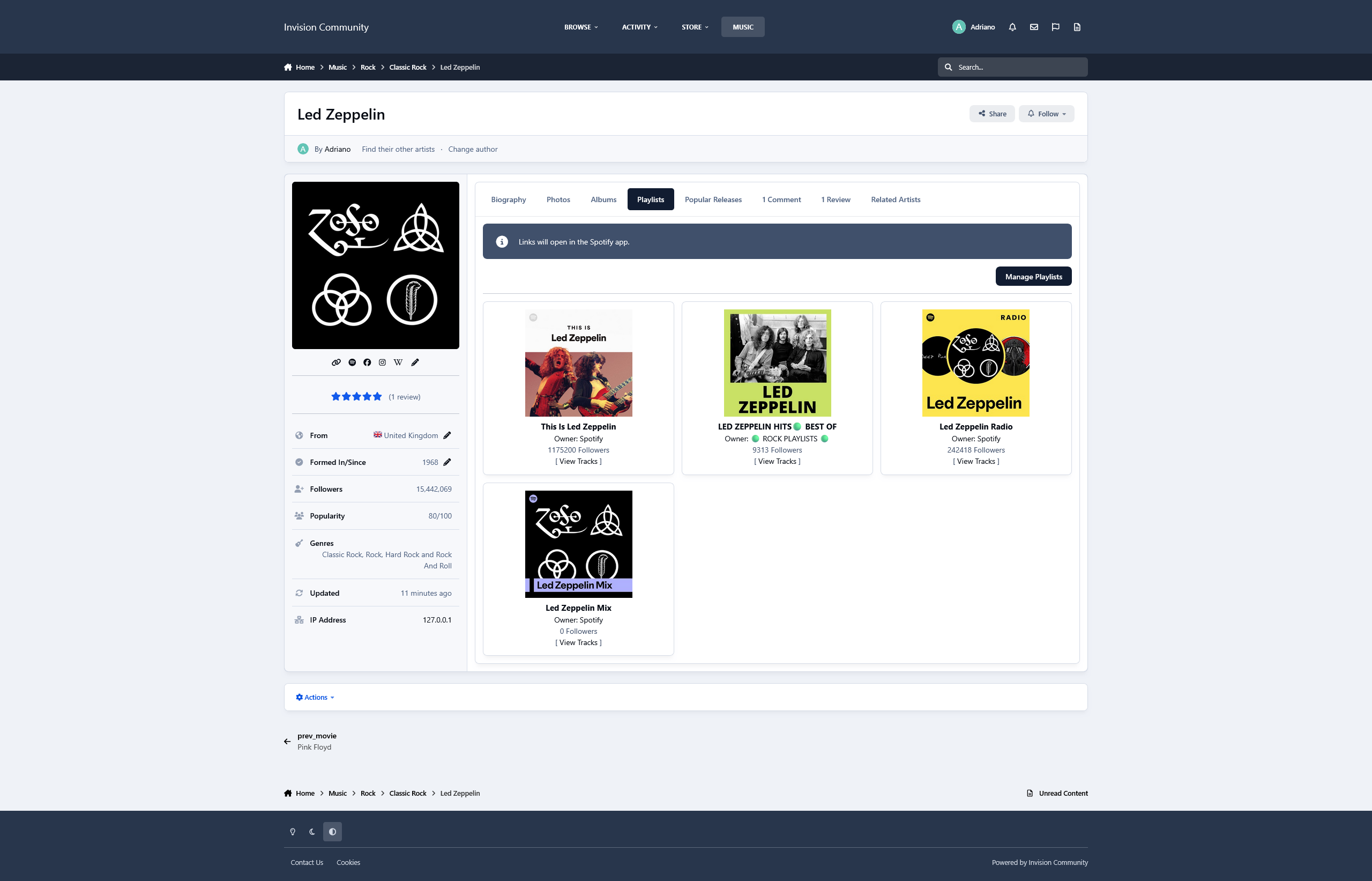
  • Photos from the artist in a grouped lightbox

  • Albums (linked to Spotify)

  • Playlists (linked to Spotify)

  • Popular Releases (linked to Spotify)

  • Related Artists

The tabs ALBUMS, POPULAR RELEASES, and RELATED ARTISTS are Ajax-loaded and represent the artist's current state on Spotify.

Other features:

  • Fully integrated into the framework: Rest API, categories, extra fields, notifications, search, tags, follow, reactions, promote, etc.

Settings:

  • Settings to control the app's behavior in several places/situations.

What's New in Version 2.0.6

Released

  • Add integration to Perplexity AI to automatically retrieve the artist’s biography when creating a record

  • Add a new entry in the Actions menu to retrieve the artist’s biography

  • Template fix

User Feedback

You may only provide a review once you have downloaded the file.

TBB1234 Advanced Member

TBB1234

   2 of 2 members found this review helpful 2 / 2 members

This application is indispensable for my metal and rock music community. It integrates seamlessly with Spotify, allowing me to easily showcase artist information, albums, playlists, and more. Although Spotify no longer provides certain data like biographies and photos through their API, this tool lets me manually add that content with ease.

With its simple search feature, I can quickly find and add artist details, including global chart positions, followers, and social media links. The Ajax-loaded tabs for albums, popular releases, and related artists ensure everything stays up-to-date. Fully integrated with my site’s framework, it also supports features like notifications, search, and reactions.

In short, this application is a vital tool for enriching my site with dynamic, real-time artist profiles.

image.png

Other files from Adriano

Important Information

By using this site, you agree to our Terms of Use and Privacy Policy.

Configure browser push notifications

Chrome (Android)
  1. Tap the lock icon next to the address bar.
  2. Tap Permissions → Notifications.
  3. Adjust your preference.
Chrome (Desktop)
  1. Click the padlock icon in the address bar.
  2. Select Site settings.
  3. Find Notifications and adjust your preference.